How you connect Duda depends on your plan: on All Eight, our team connects it and publishes for you; on other plans, Ollie writes each article for you to paste in from your AI Vault.
The short version. Switch to Full article for every detail.
On the All Eight plan, our team connects your Duda site and posts for you. On other plans, Ollie writes each article, you paste it in from your AI Vault, and Ollie checks it went live.
The plain version, no background needed. Switch to Full article for every detail.
We can't post to Duda for you yet, so how you connect depends on your plan.
On the All Eight plan: our team does it for you
Tap Connect it for me. Our team sets up the connection with you within one business day and publishes for you from then on.
The steps
When we ask "What's your website address?", type your address. We tell you it runs on Duda. Tap Connect it for me.
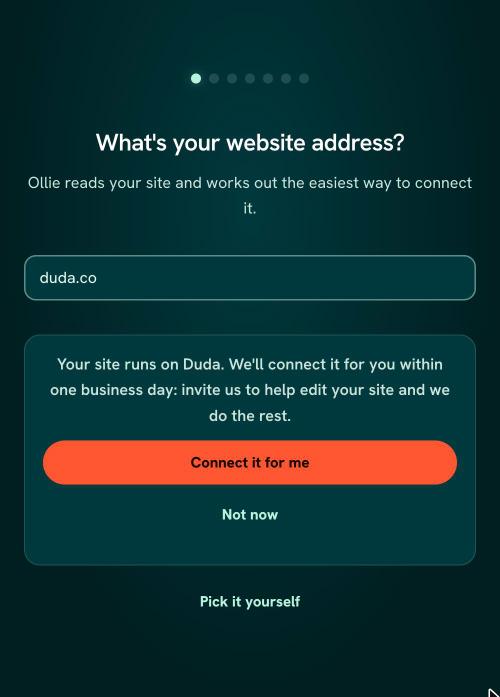
The RunOctopus sign-up screen saying "Your site runs on Duda. We'll connect it for you within one business day" with a Connect it for me button - We reach out within one business day and walk through it with you.
What to have ready
- Who manages your site. If a designer or agency built your Duda site and still runs it, have their name and email handy. They may be the one who can let us in.
- Your Duda login, if you have one. We never ask for your password.
On other plans: copy from your AI Vault
Ollie writes each article ready to copy from your AI Vault. You paste it into Duda, tap I published it, and Ollie checks it went live right. Want us to publish for you instead? That's included in our All Eight plan.
What happens next
Head to Install your content to see how your first pieces get onto your site.
Was this page helpful?