Tap Connect HighLevel, pick your sub-account on HighLevel's own screen and approve. Each article then lands in your HighLevel blog as a draft.
The short version. Switch to Full article for every detail.
You tap Connect HighLevel, pick your sub-account on HighLevel's screen and approve. After that, each article shows up in your HighLevel blog as a draft for you to check and publish. You can pay through HighLevel or straight to us, never both.
The plain version, no background needed. Switch to Full article for every detail.
Connecting your HighLevel site takes about a minute: you approve the RunOctopus app on HighLevel's own screen, and you're done. Every article then lands in your HighLevel blog as a draft, so nothing goes live until you say so.
HighLevel calls each business inside an account a sub-account. Each sub-account has its own website and its own blog. You connect the sub-account whose website should get the articles.
The steps, one at a time
When we ask "What's your website address?", type your address. We tell you it runs on HighLevel. Tap Connect HighLevel.
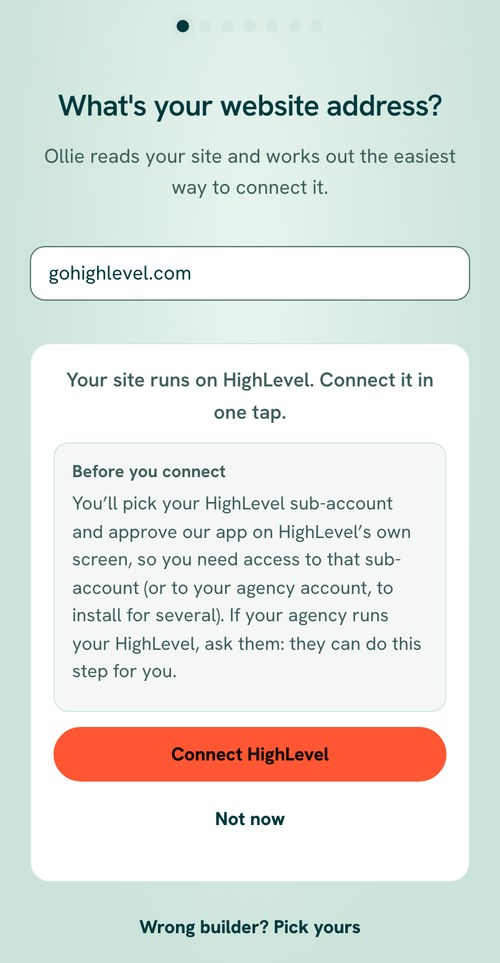
The RunOctopus sign-up screen saying "Your site runs on HighLevel. Connect it in one tap." with a Before you connect note and a Connect HighLevel button - HighLevel opens its own page. Sign in to HighLevel if it asks.
- Pick the sub-account for this website.
HighLevel lists what the RunOctopus app is allowed to do. Tap Allow & install.
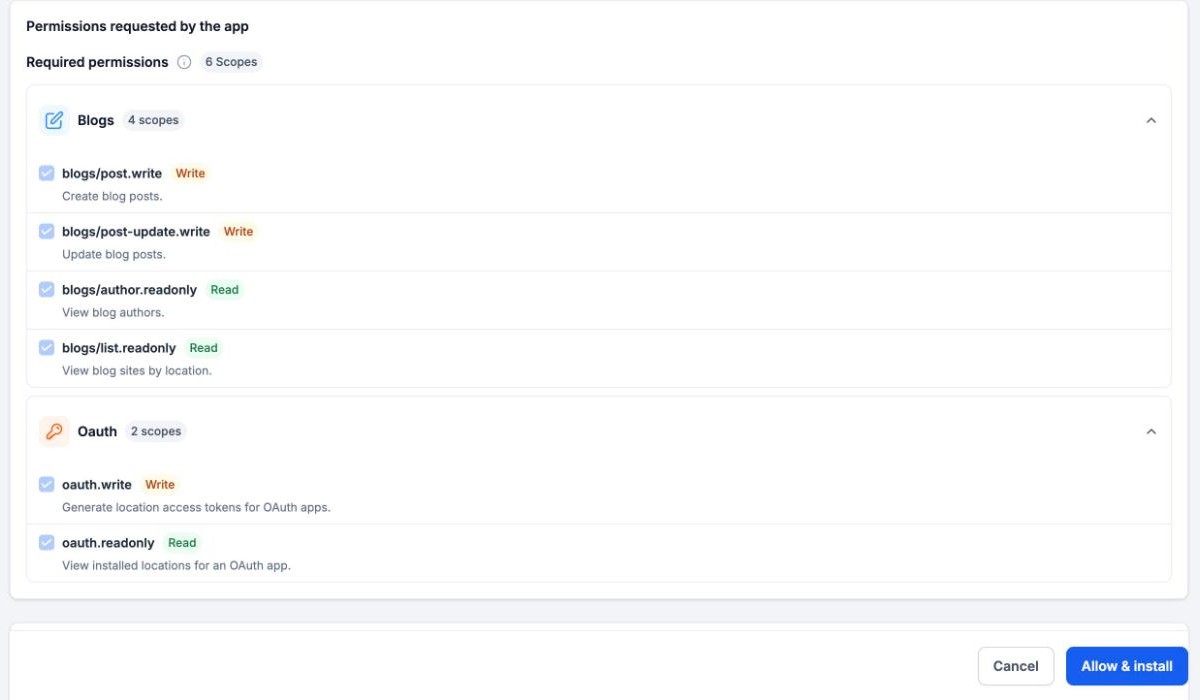
HighLevel's own install screen listing the six permissions our app asks for, with the Allow & install button - HighLevel sends you back to us, and your site shows as connected. That's it.
What we ask HighLevel for
Six permissions, and nothing else:
- See your blogs, so each article goes to the right one.
- See your blog authors, because every post needs an author.
- Add blog posts, as drafts.
- Update blog posts.
- See which sub-accounts installed us and get a key for each one. These two are for agencies that install once for several sub-accounts.
We never touch your contacts, conversations, calendars, payments or funnels.
Running an agency? Install once for your clients
You can install our app from your agency account instead of one sub-account at a time. On HighLevel's screen, pick the sub-accounts you want. Each one gets its own key and connects on its own, and its articles go to its own blog.
If your agency runs your HighLevel and you can't see your sub-account, share this page with them. They can do this step for you.
Where your articles land
In that sub-account, open Sites, then Blogs, and pick your blog. Each article waits there marked Draft. Open it, look it over, and publish it when you're happy.
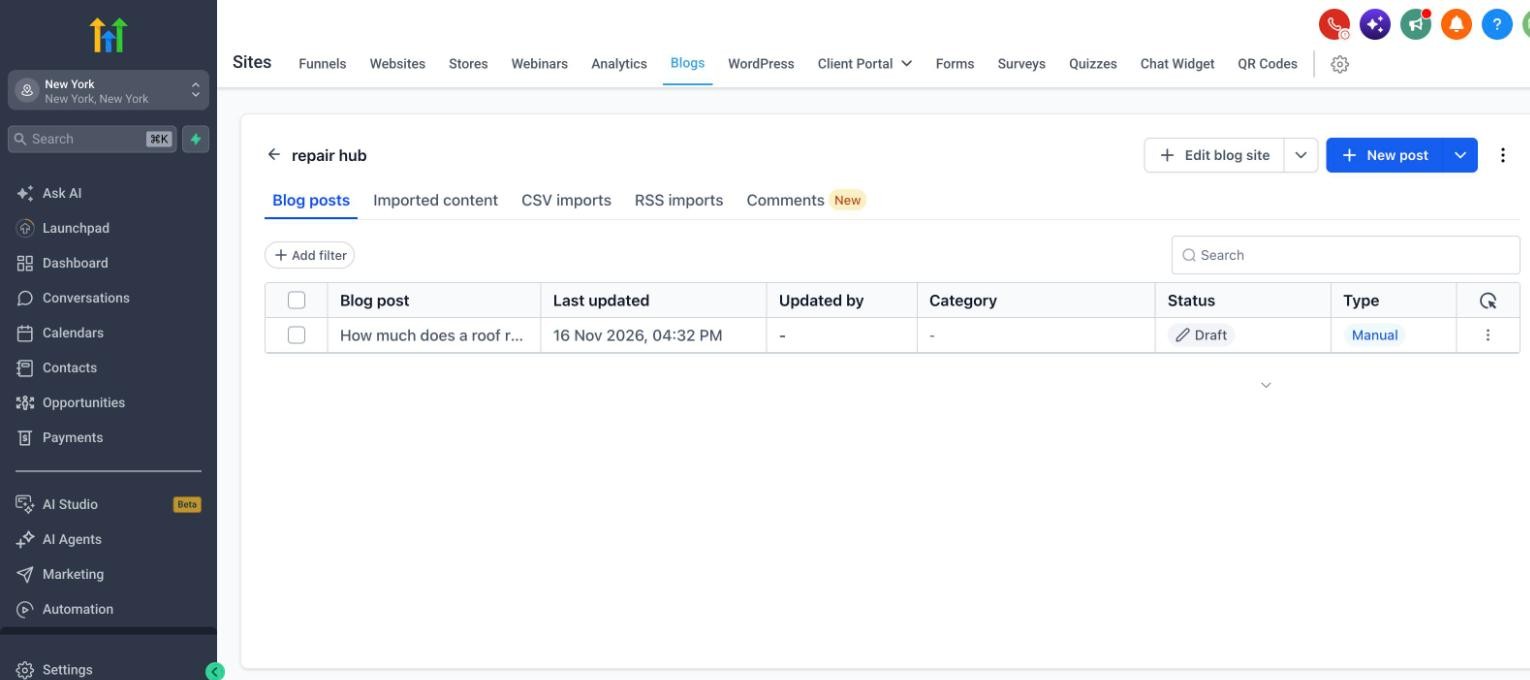
Once a post is in your HighLevel blog, it's yours. HighLevel doesn't let apps take posts back out, so if you ever want one gone, delete it yourself in Sites, then Blogs.
On the All Eight plan, our team also publishes for you. If you'd rather our team set up the connection with you, that's part of All Eight too.
Paying: through HighLevel or straight to us, never both
You can pay in one of two ways. Same plans, same work.
- Straight to us: our plans are Two Arms at $97 a month, Four Arms at $347 and All Eight at $497.
- Through HighLevel: you pick a plan on HighLevel's install screen and HighLevel bills you. Agencies see $111.55, $399.05 and $571.55 a month there, because HighLevel adds its own fee on top of our price. If your agency installed us for you, your agency bills you and sets its own price.
Already paying us directly? Pick the free plan on HighLevel's screen. Your plan stays exactly as it is. If a paid plan gets picked by mistake, we see it and get in touch to sort it out, so you aren't charged twice.
What to have ready
- A blog in that sub-account. If it doesn't have one yet, create it under Sites, then Blogs, and we take it from there.
- Access to that sub-account in HighLevel, or to your agency account if you're installing for several.
If something doesn't look right
- You don't see your sub-account? Your HighLevel login can't reach it. Ask whoever runs your HighLevel account (often your agency) to do this step.
- Anything else, tell us in the app. We're here, and we'll sort it out with you.
You're in: what happens next
Head to Install your content to see how your first pieces get onto your site.
Was this page helpful?